
Bulk Post Scheduler for X is a free browser extension by Cliqto Media, available in the Chrome Web Store. You write your posts in a CSV or Excel file. The extension checks the file first. Then it fills in X's own post editor and schedules each post for its time.
Nothing is posted at once. Every post becomes a normal scheduled post in X. You can see, edit or delete it in X.
Plan your X posts in a spreadsheet
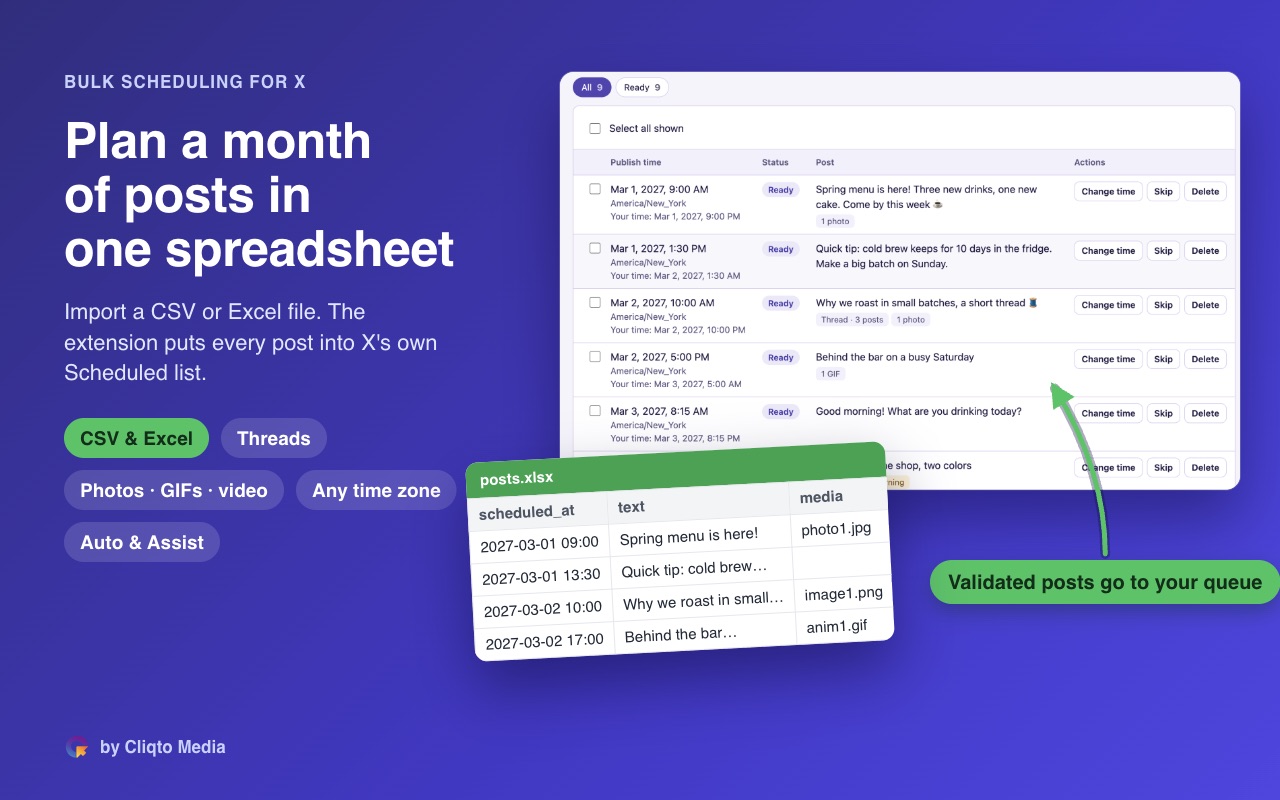
Write the posts once, check them, press Start. Each one lands in X's own Scheduled list.
- Free, no sign-up
- Your files stay in your browser
- Up to 50 posts a day, at your pace

For Chrome 120 or newer on a desktop computer, not for phones. Microsoft Edge, Firefox and Opera: coming soon. Read the privacy policy
What it does
From a spreadsheet to X
One row is one post: text, date, time and time zone. Add photos, GIFs and videos from a folder. Build threads of several posts.
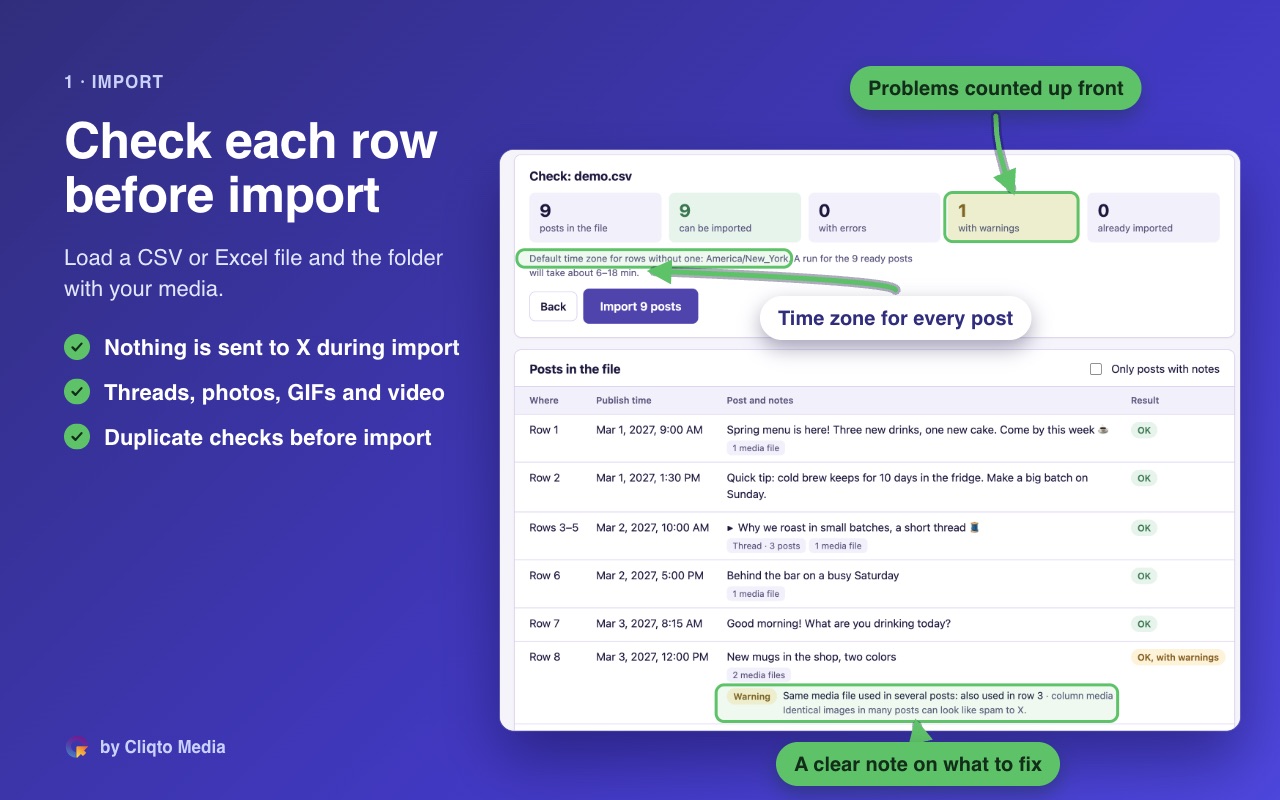
Checks before import
Every row is checked first. It looks at length, media, past times, duplicates and time zones.
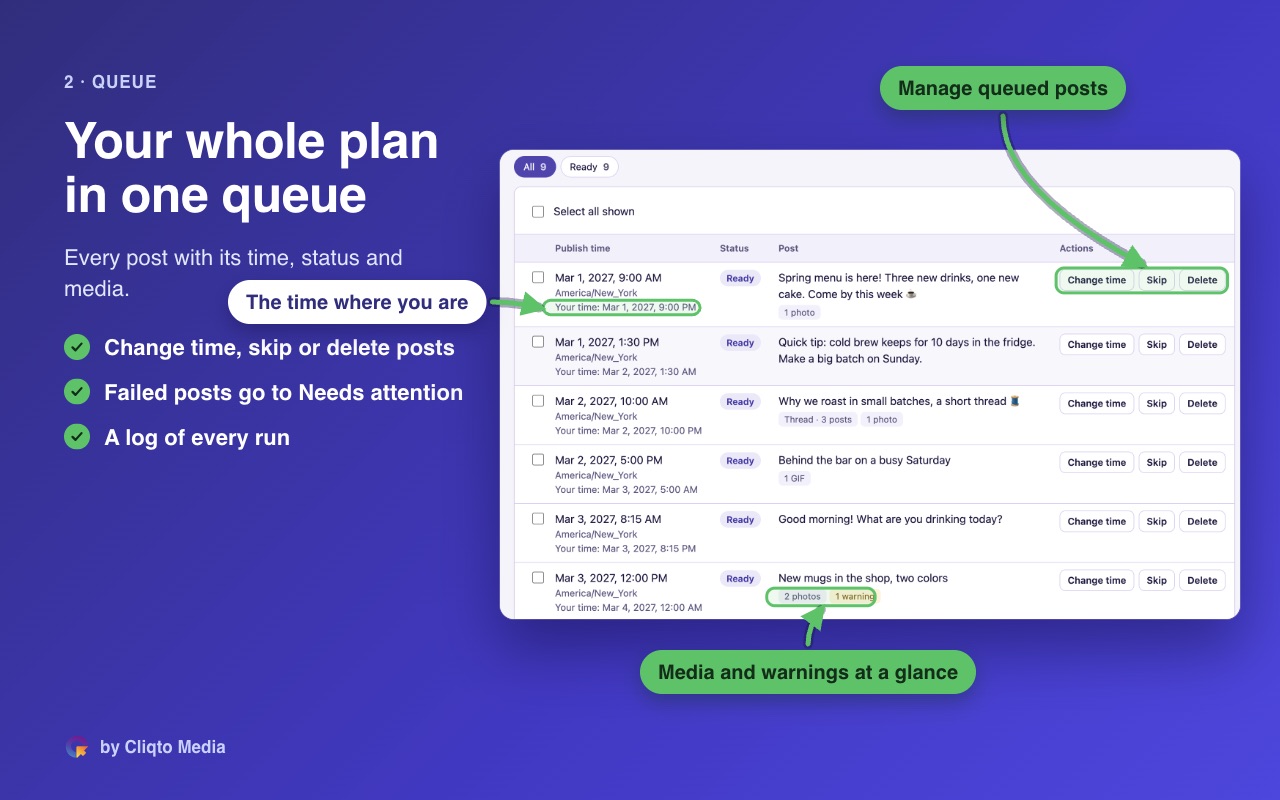
Review your queue
Change a time, skip a post or remove it before you start.
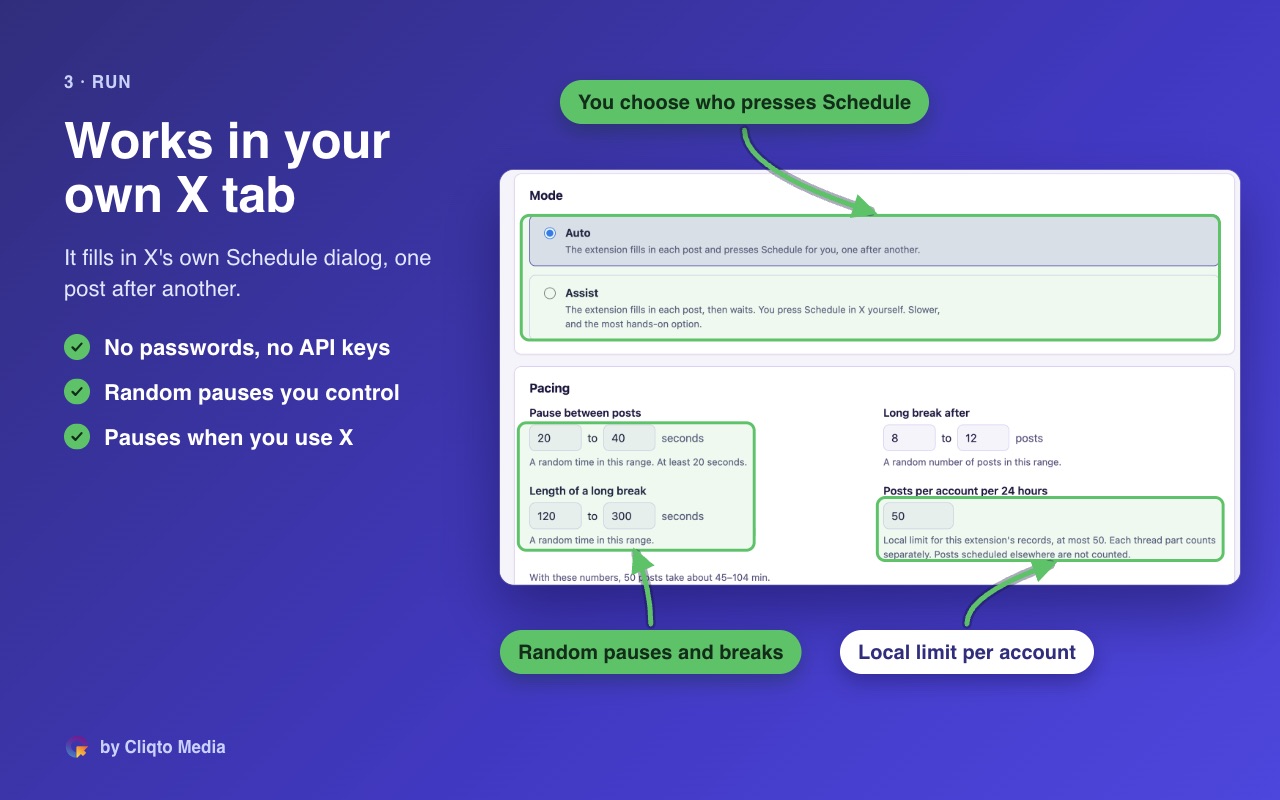
Works in your own tab
It uses the normal x.com page in your browser. There are calm pauses between posts. You choose the numbers.
Results that need a check
If the extension is not sure that a post was scheduled, the post goes to Needs attention. Check it in X before you try again. Repeated problems stop the run.
Assist mode
The extension fills in each post. You press Schedule yourself.
Your data stays local
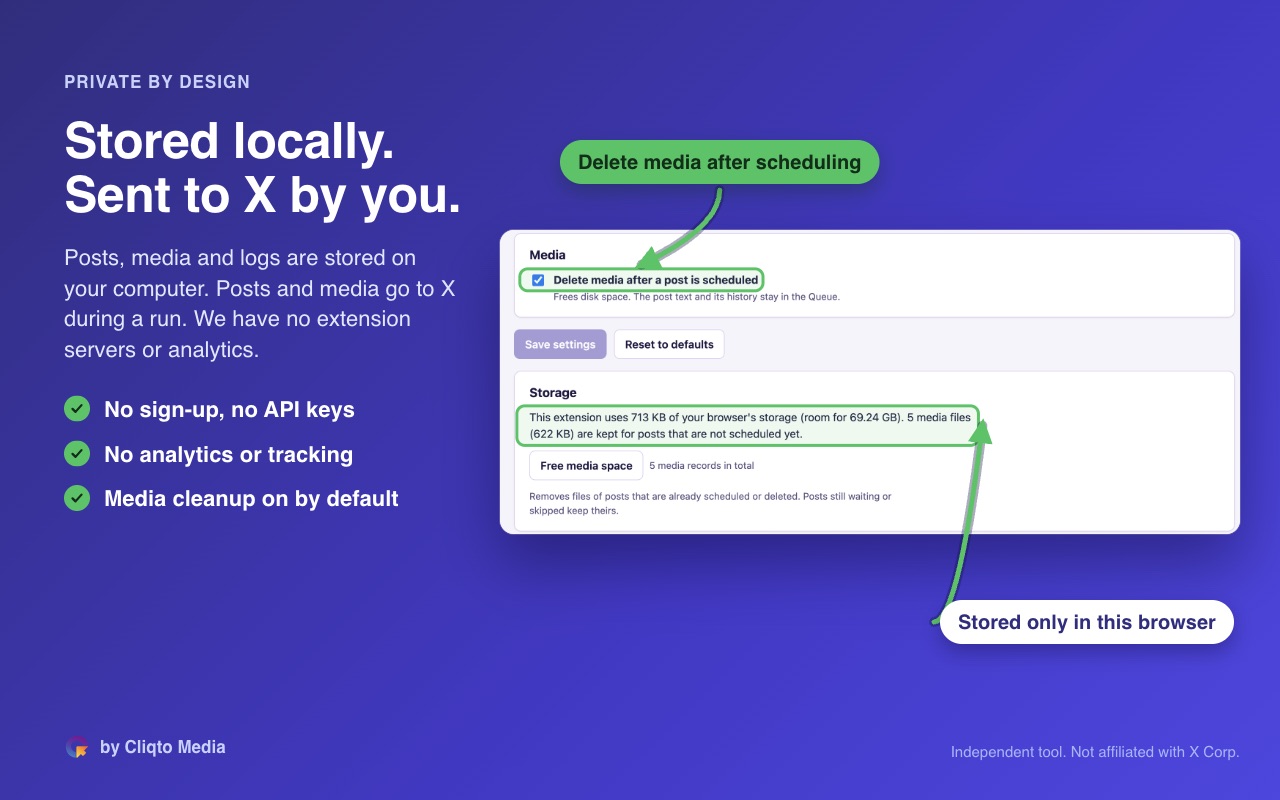
Files, media and the log stay in your browser. No servers, no sign-up, no analytics.
Screenshots
Tap or click a screenshot to open it full size.
Who it is for
Creators, marketers, small teams and agencies. Anyone who plans X posts ahead in a spreadsheet.
How it works
- Install it. Add the extension to Chrome from the Chrome Web Store. Click the puzzle icon in the Chrome toolbar and pin the extension. Click its icon to open it.
- Prepare the file. In the extension, download the template on the Home or Import screen. Write one post per row.
- Import. Choose the file and the media folder. Fix what the check shows.
- Review. Check the text and time of each post in Queue.
- Connect and start. Open x.com in its own window and log in as usual. Press Connect, confirm the account and press Start.
- Check the results. Posts that need you are on the Needs attention screen. Marks in the menu show what needs you.
Good to know
- You need Chrome 120 or newer on a desktop computer.
- The X website must be in English (the menus and buttons, not your posts). To change it in X: Settings and privacy → Accessibility, display, and languages → Languages → Display language.
- The extension has its own daily limit: you choose it, up to 50 posts in 24 hours. Each post in a thread counts separately. Posts scheduled outside the extension are not counted. X may apply other limits.
- Keep the X window visible during a run. Keep the extension page open until the run ends.
- After a run, you can hide scheduled posts from the list. They stay in X.
- If you click or type in the X tab, the run pauses. Press Resume to go on.
- One browser profile, one X account. For more accounts, use one profile for each.
- The extension does not use the X API. It never asks for your password.
- Can X limit my account? X's rules limit automated and bulk posting, and X decides about your account, not us. The extension works slowly, like a person, with pauses between posts, and you choose the daily limit. We cannot promise that X never limits an account. Start with a few posts and a low daily limit.
- Inside the extension you will see its short name, X Bulk Scheduler.
Support
Quick checks first:
- The run does not start. Is x.com open in its own window, visible, and are you logged in? Is the X website in English?
- The run paused. You clicked or typed in the X tab. Press Resume.
- A post is in Needs attention. Open your Scheduled list in X. If the post is there, do not retry it.
- The file does not import. Download the template again and copy your rows into it. The check shows which row has a problem.
Questions and bug reports: [email protected]. For a bug, attach the diagnostics file from the Log screen. It has no post texts and no pictures.
Questions
Is it free?
Yes. The extension is free.
Does it post right away?
No. Posts are scheduled in X for the times in your file.
Do I need an X API key?
No. The extension works through the regular x.com page in your browser.
Which file formats work?
CSV and Excel (XLSX). The template on the Import screen shows all columns.
Can I schedule threads, photos and videos?
Yes. Threads, photos, GIFs and videos follow X's own limits for size and count.
Where is my data?
In your browser only. The extension sends your posts only to x.com, when you start a run.
Is this an official X product?
No. It is an independent tool. It is not affiliated with, endorsed or sponsored by X Corp.
Last updated: